FizzPoker for Android
Published By FizzPoker
FizzPoker has an Android app on Google Play. It is the same No-Limit Texas Hold’em as on this website — private tables for 2–9, bots at five levels, the Open Poker League, the Fizz Score — in an app of its own that tells you when it is your turn. No ads, nothing to buy, no real money.
Android 7.0 or newer. Your friends don’t need it: a table is a link that opens in any browser.
The same game, in an app of its own
The app shows this website in its own window, so every table, bot, league season and score is the one you know from the browser, and updates arrive without a download. What changes is everything around the game: it has its own icon, opens full screen, and can reach you when the app is closed.
| In the browser | In the Android app | |
|---|---|---|
| The game | No-Limit Hold’em, 2–9 players, bots at five levels | The same |
| Open Poker League, Fizz Score, stats | Yes | Yes |
| Notifications | None | Your turn, your table, invitations, league — each with its own switch |
| How it opens | A browser tab, or a home-screen shortcut | Its own icon, full screen, with Play · League · Dashboard · Settings tabs |
| A friend’s table link | Opens in the browser | Opens in the app |
| Vibration on your actions | No | Yes, with a switch |
| Install | Nothing | From Google Play, Android 7.0 or newer |
| Price | Free | Free — no ads, nothing to buy |
Notifications: the reason to install it
A browser tab cannot tell you that the table is waiting. The app can — which matters most in a game with friends, where someone always puts the phone down between hands. There are five kinds, and each has its own switch on the Settings tab. The app asks for permission only when you turn them on, never at launch.
- Your turn
- A decision is waiting for you and the app is not on screen.
- Your table
- Someone joined the table you host, or your game started.
- Table invitations
- Someone you have played with opened a table and asked to notify you.
- League place
- Other players passed you on the Open Poker League ladder while you were away.
- League season
- A season is about to end.
What it looks like
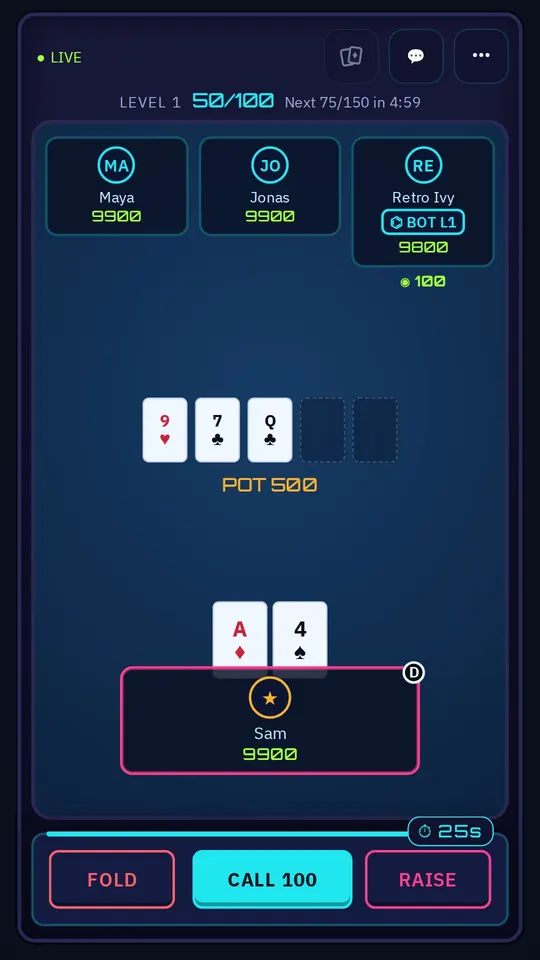
A table with friends 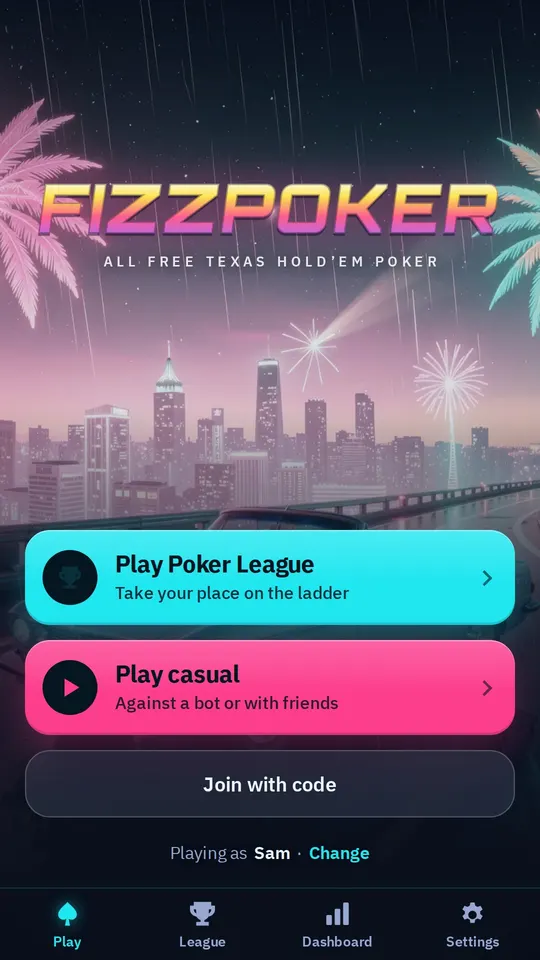
The Play tab 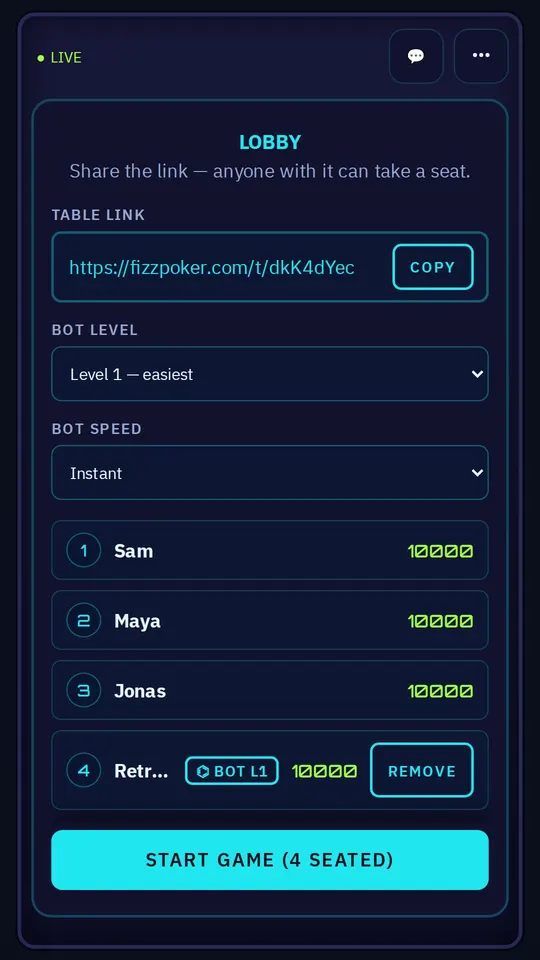
Invite by link 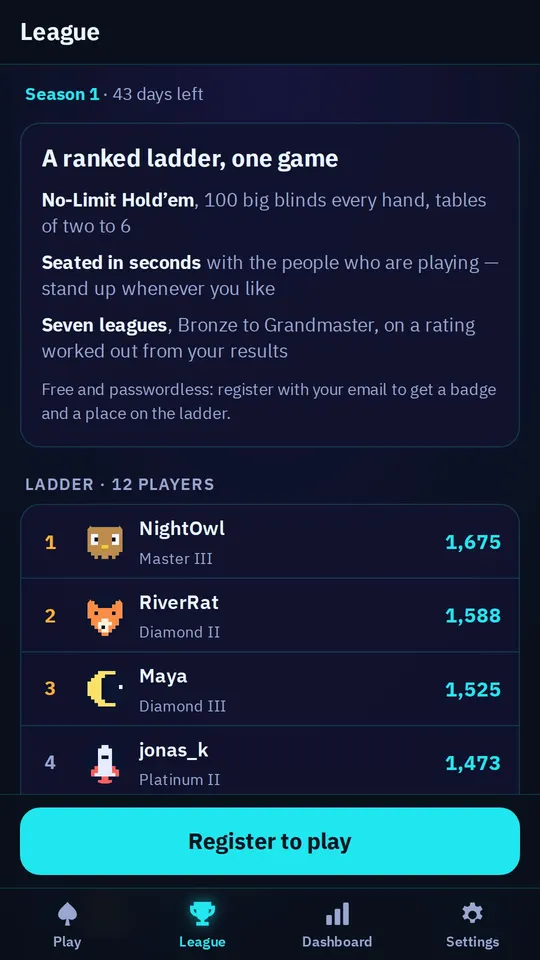
Open Poker League 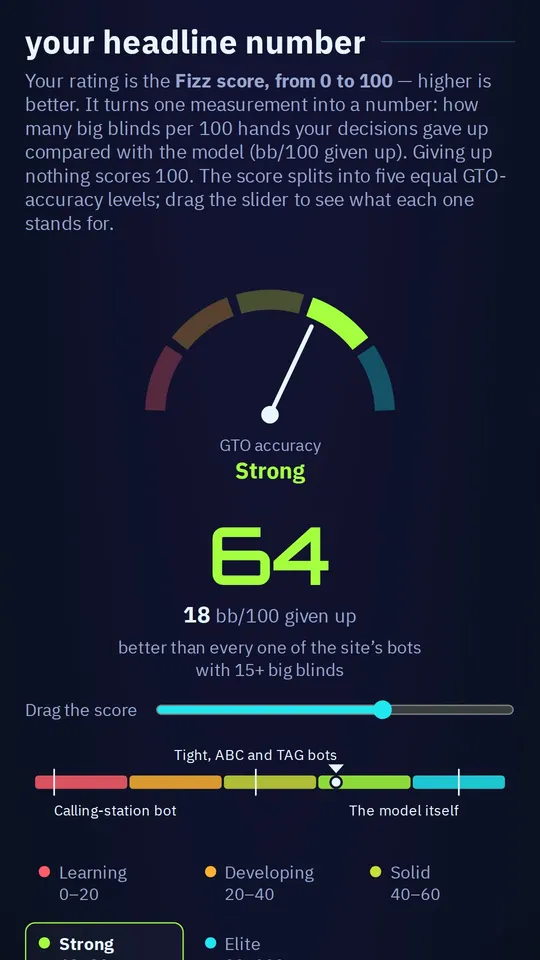
Fizz Score
How to start
- Open the listingOn your Android phone, open “FizzPoker: Poker with Friends” on Google Play.
- Install and openTap Install, then Open. The app asks for a player name; it needs no account.
- Start a gameOn the Play tab, tap “Play casual” for a game against a bot or with friends, or “Play Poker League”.
- Send the linkFor a game with friends, share the table link. They join in the app or in any browser.
Your friends don’t need the app
A FizzPoker table is a link. Send it in any chat: a friend who has the app opens the table there, and everyone else opens it in a browser on whatever they have — an iPhone, a laptop, a tablet. All of them sit at the same table, and nobody has to install anything or sign up to join a table of 2–4. See poker with no download for how the browser side works.
On iPhone and iPad
There is no FizzPoker app for iPhone. Open fizzpoker.com in Safari and play there; if you play often, Share → Add to Home Screen gives you an icon and a full-screen game. The steps are on the no-download page. Notifications are Android-app only.
The app at a glance
| Name on Google Play | FizzPoker: Poker with Friends |
|---|---|
| Listing | play.google.com/store/apps/details?id=com.fizzpoker.app |
| Runs on | Android 7.0 or newer, phones and tablets |
| Price | Free. No ads, no purchases, no subscriptions |
| Money | Play chips only — no real money, prizes or payouts |
| Account | None to play. A free email sign-in keeps games and stats and opens the Open Poker League |
| Needs | An internet connection — every table runs live on the server |
| Tracking | No advertising ID. Usage statistics only if you say yes when the app asks |
| iPhone | No app. FizzPoker runs in Safari and can be added to the Home Screen |
| Published by | Libaty GmbH, Heusenstamm, Germany |
What the app stores and sends is in the privacy policy, section 15. Deleting your account works in the app (Settings) and on the website.
Questions people ask
Is there a FizzPoker app?
Yes, for Android. It is called “FizzPoker: Poker with Friends” on Google Play and it is free, with no ads and nothing to buy. There is no iPhone app; on an iPhone FizzPoker runs in Safari.
Do my friends need the app to join my table?
No. A FizzPoker table is a link. A friend who has the Android app opens it there; everyone else opens it in the browser on a phone, tablet or computer, and all of them sit at the same table.
What does the FizzPoker app do that the website does not?
It sends a notification when it is your turn, when someone joins your table or invites you to one, and for your Open Poker League place — each kind has its own switch. It also opens full screen from its own icon, has tabs for Play, League, Dashboard and Settings, and vibrates on your actions if you want. The game itself is the same.
Is there a FizzPoker app for iPhone?
No. On an iPhone or iPad, open fizzpoker.com in Safari; Share → Add to Home Screen puts an icon next to your apps and opens the game full screen.
Does my account work in both the app and the browser?
Yes. Sign in with the same email address in the app and in the browser and your games, hand replays, stats and league rating are the same in both. Without an account the app and the browser are two separate guests.
Is the FizzPoker app free? Does it use real money?
It is free, with no ads, no purchases and no subscriptions. Chips are play chips with no cash value, and there are no buy-ins, prizes or payouts.
Which permissions does the app ask for?
Only notifications, and only when you turn them on — never at launch. The app works the same without them. It has no access to contacts, location, camera or microphone, and it does not use the advertising ID.